Debian: Modernizing iperf/iperf3 and introducing fireperf
Recently I spend some time on modernizing the packaging of the Internet Protocol bandwidth measuring tools iperf and iperf3 in Debian, as well as uploading fireperf to Debian.
Modernizing iperf
sudo apt install -yU iperf-server and you’re donePreviously, src:iperf only built iperf. If you wanted to run an iperf server, you had to do it on your own, i.e. there was no systemd service for that.
Apart from tidying the Debian package, src:iperf now builds the new iperf-client and iperf-server packages, the latter contains the systemd and ufw integration. iperf-server runs with a dynamic systemd user and systemd service hardening.
The iperf package is now a transitional package, that also cleans up any leftovers from before the package split into iperf-client and iperf-server (e.g. when upgrading from trixie to forky).
For historical reasons, iperf2 is packaged in debian as iperf, not iperf2. Now the iperf packages have provides for iperf2, iperf2-client, and iperf2-server respectively (so they can be installed by these names too).
Updated iperf packages are available in sid, and backports for trixie are available at Debian Fast Forward.
It might make sense in the future…
given that iperf2 and iperf3 are completely different tools with different advantages and disadvanges for different use-cases
therefore the one is not replacing the other (iperf2 in general is the better tool than iperf3, eventhough the common misconception is that iperf3 is supposedly better than iperf2 because the number 3 is greater than the number 2)
…to maybe rename iperf to iperf2 to match both upstream naming and also to harmonize the packaging of iperf2 with other distributions.
Modernizing iperf3
sudo apt install -yU iperf3-server and you’re donePreviously, src:iperf3 only built iperf3. If you wanted to run an iperf3 server, iperf3 had a debconf yes/no question which would then start one iperf3 server on the default port 5201.
Apart from tidying the Debian package, src:iperf3 now builds the new iperf3-client and iperf3-server packages, the latter contains the systemd and ufw integration. iperf3-server runs with a dynamic systemd user instead of the previous local system account, and has systemd service hardening.
Since iperf3 (contrary to iperf, also see here and here for iperv vs. iperf3) does not allow using multiple connections on the same port, you have to run multiple iperf3 servers, each on their own port, in order to serve more than one client at the time.
The old debconf question for enabling a single iperf3 server has been removed as well as the obsolete sysvinit integration.
In order to allow running multiple iperf3 servers at the same time (but on different ports), iperf3-server now contains a systemd service template so you can enable multiple iperf3 servers (e.g. 3 servers on subsequent port numbers, but you can run as many as you want on any ports you like) either manually with:
sudo systemctl enable --now iperf3-server@5201sudo systemctl enable --now iperf3-server@5202sudo systemctl enable --now iperf3-server@5203or by using debconf interactively to do it automatically for you (which defaults to one instance on port 5201):
sudo dpkg-reconfigure -p low iperf3-serveror by using debconf non-interactively to do it automatically for you:
TMPFILE="$(mktemp)"echo "iperf3 iperf3-server ports string 5201 5202 5203" > ${TMPFILE}cat "${TMPFILE}" | sudo debconf-set-selectionsdpkg-reconfigure -fnoninteractive -pcritical iperf3-serverrm -f "${TMPFILE}"The iperf3 package is now a transitional package, that also cleans up any leftovers from before the package split into iperf3-client and iperf3-server.
Updated iperf3 packages are available in sid, and backports for trixie are available at Debian Fast Forward.
Introducing fireperf
sudo apt install -yU fireperf-clientsudo apt install -yU fireperf-server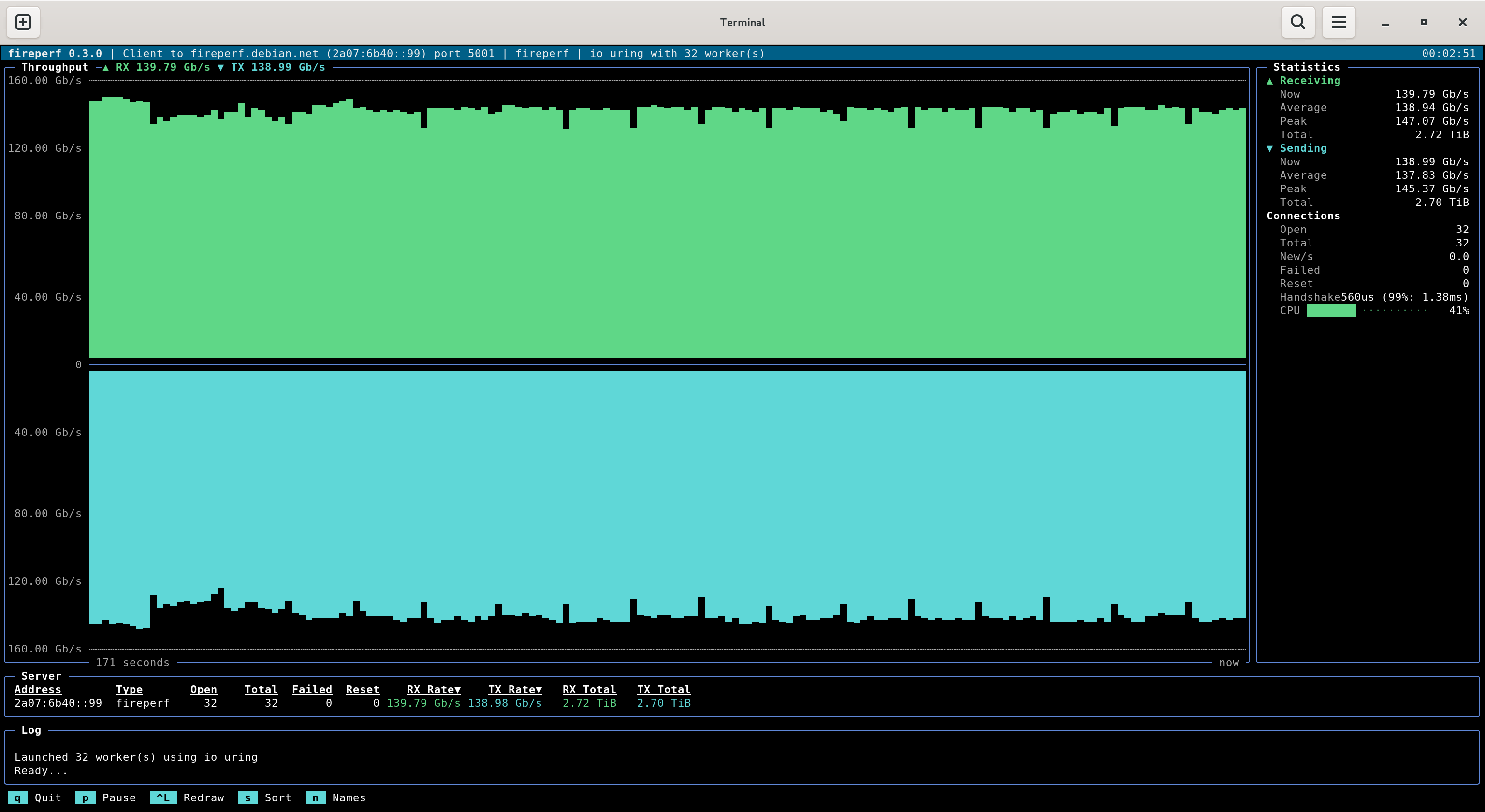
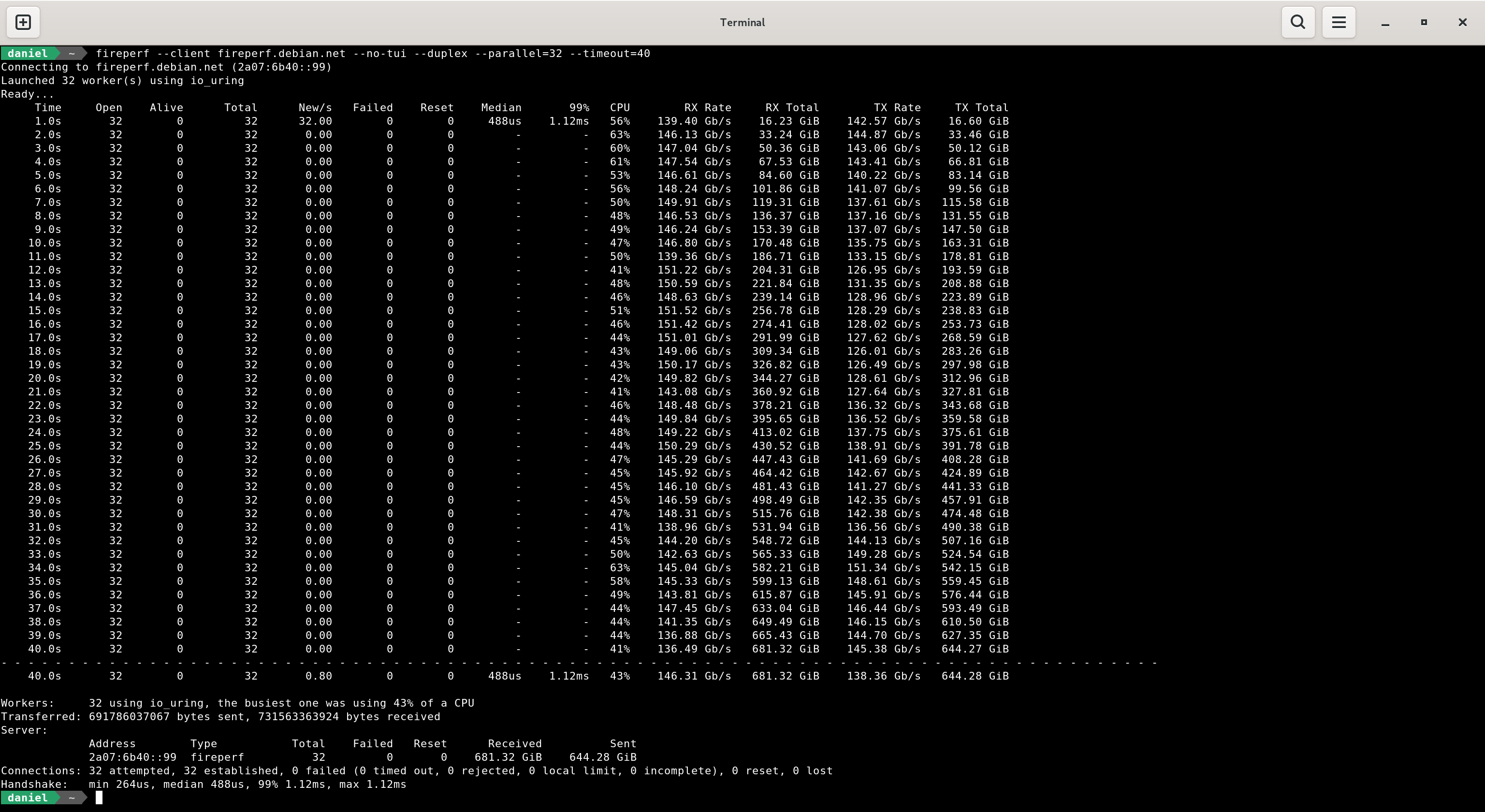
fireperf is a modern take on the iperf3 network performance and stress-testing tool under the IPFire project umbrella:
measures upload or download individually, or concurrent upload and download
allows to serve many clients in parallel (on the same port)
allows to use many workers in parallel (for maxing out bandwith of servers with LACP instead of ECMP)
allows to use and track many connection sessions in parallel (for maxing out firewalls)
can also be used as a client for both iperf and iperf3 (autodetecting the target)
can output results in JSON
has a live graph (ncurses)
uses less CPU ressources on both the client and the server (io_uring, zerocopy, …)
fireperf packages are in sid, and backports for trixie are available at Debian Fast Forward.
Happy bandwidth measuring!